Creating the Audiences for Press Release
.png)
Written by Tania Ferguson
Updated over
6 months ago
The 'Build an Audience' function lets you choose the Business Industry Focus, Topics of Interest and Focus Locations for the journalists you would like to send your press release to.
The number of journalists receiving your press release will depend on how you set up your Audiences. The more criteria you choose, the narrower and more focused the target audience will be.
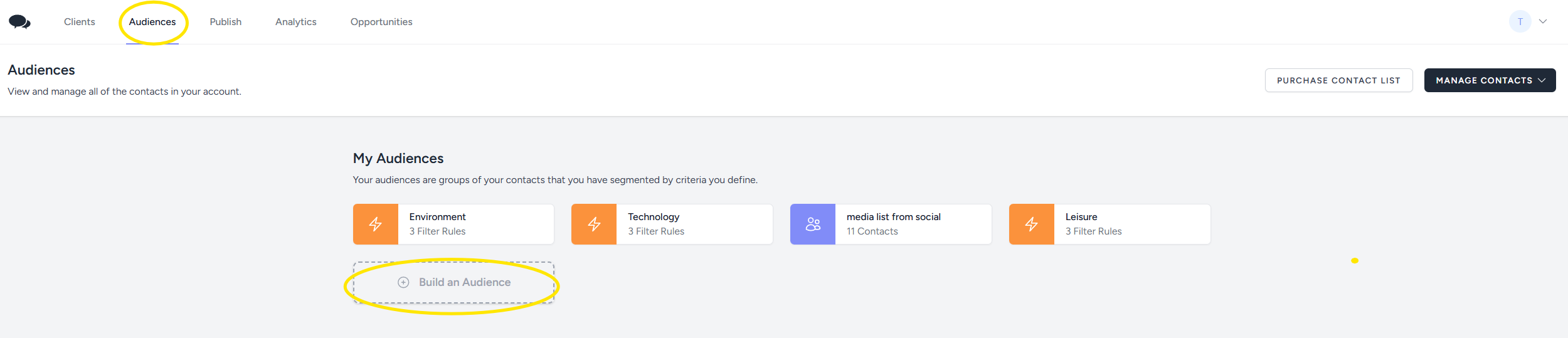
Click on 'Audiences' and then on 'Build an Audience':
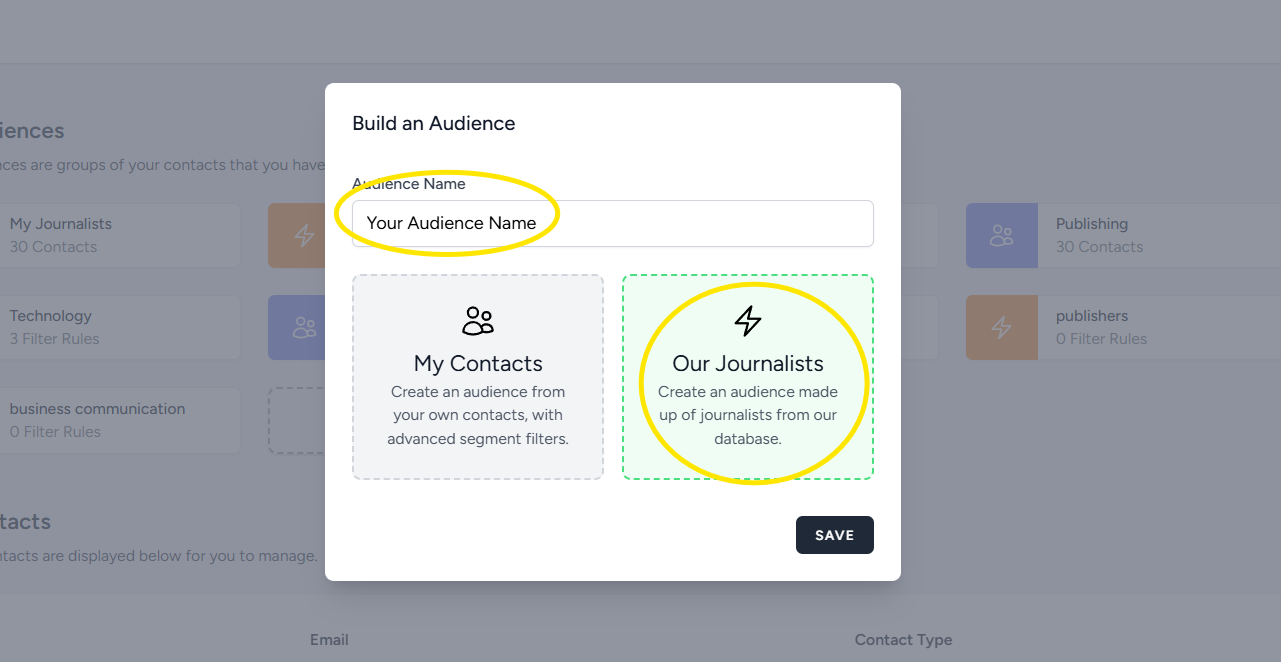
Give your audience a name, click on 'Our Journalists' and click 'save':
On the next page, select the criteria for your audience:
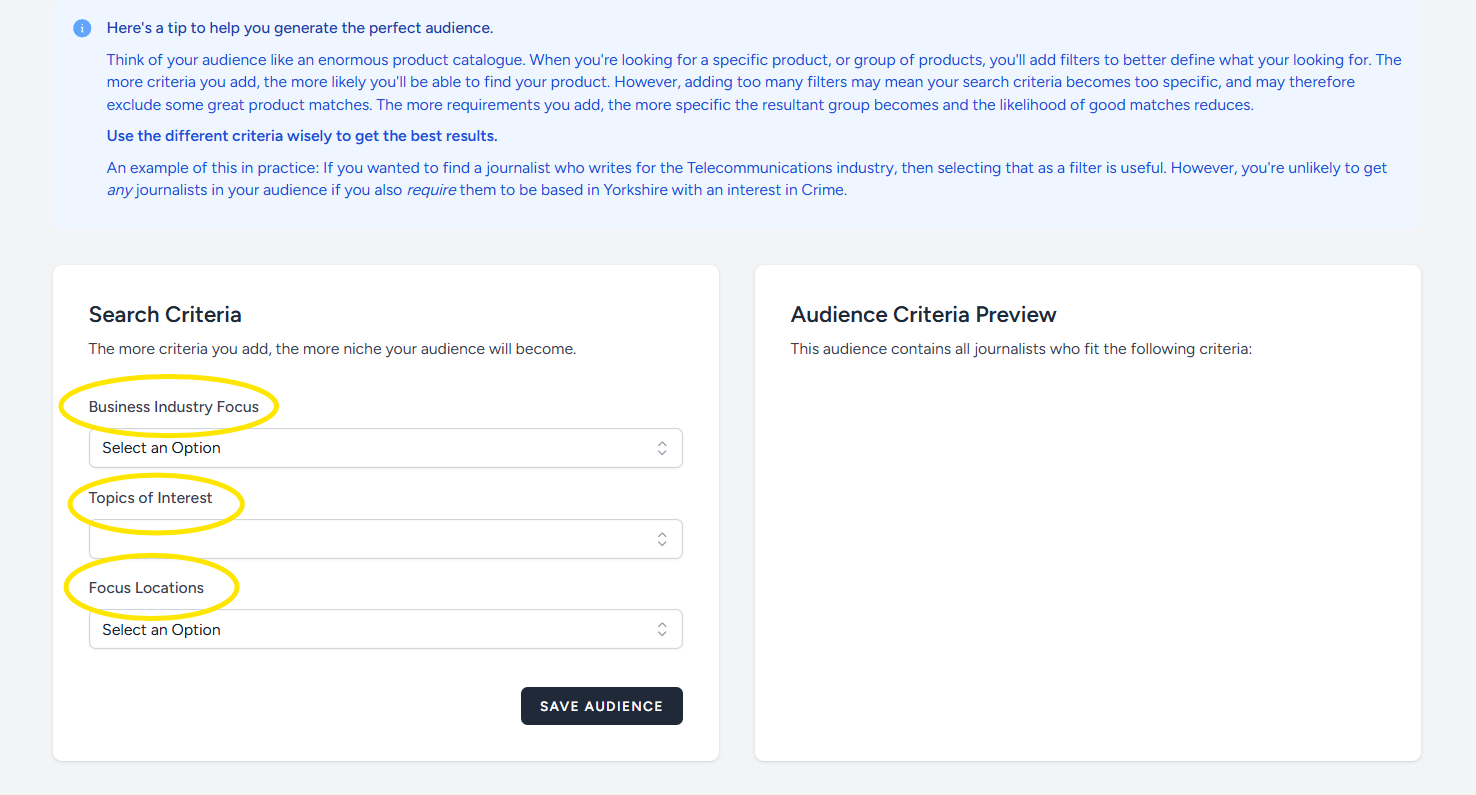
If you leave the 'Focus Location' field blank, the release will go to Journalists UK wide that match your chosen Industry Focus and Topics of Interest.
To maximise your reach, create at least three different audiences with one or two segments per audience.
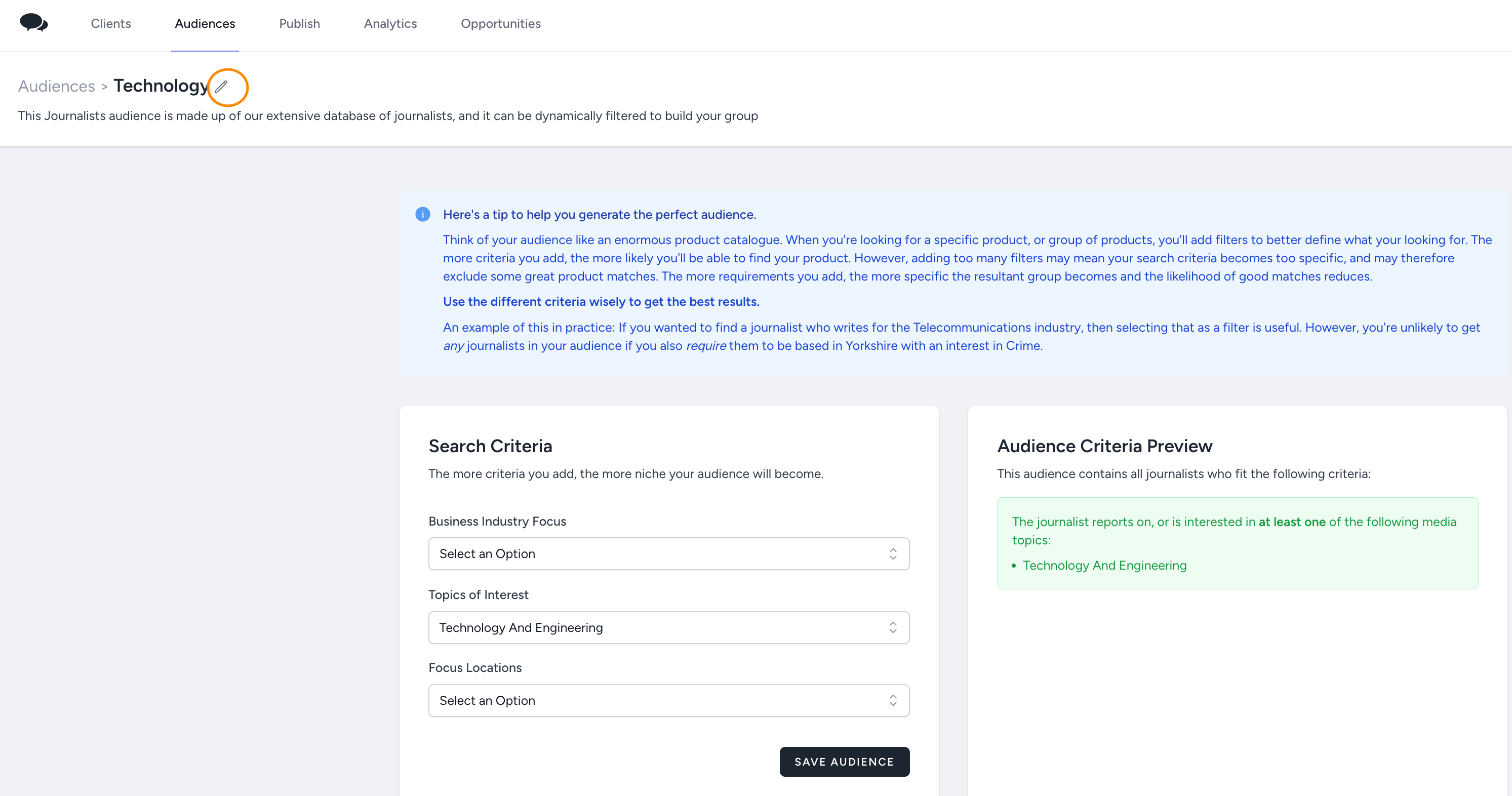
You can change the name of your Audience and add or remove segments anytime. To change the name of your audience, click on the audience and then on the pencil located on left:
If you have a media list you would like to include in the distribution, you need to create an audience for your list.
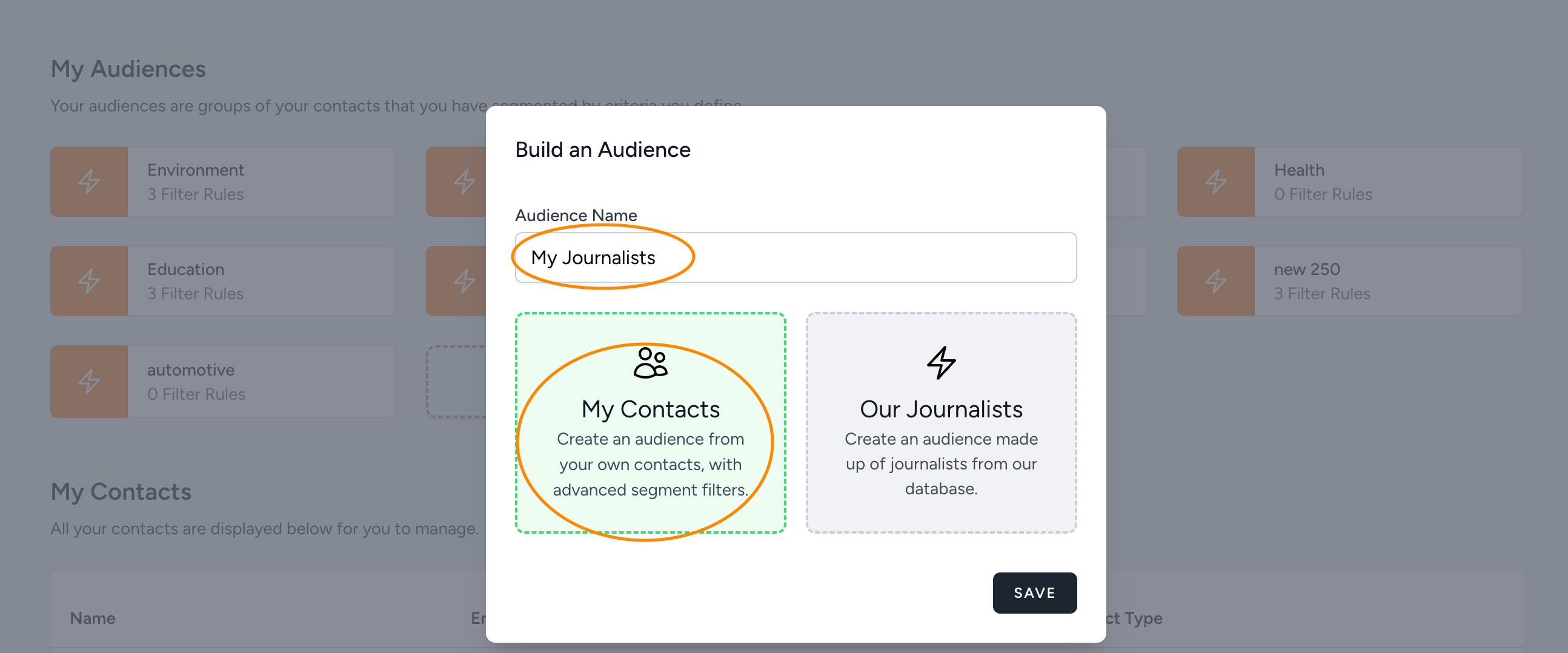
To do this, give your audience a name and choose ‘My Contacts’ when creating your audience:
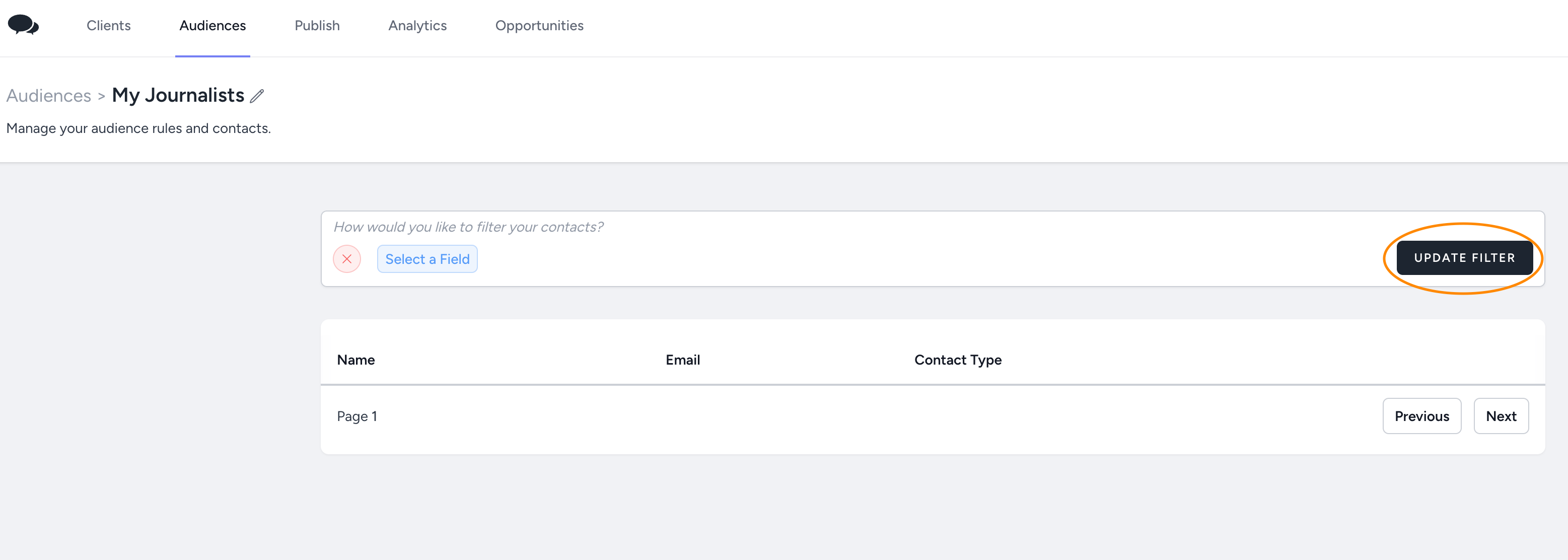
In the next screen, choose the criteria you would like to create an audience for. If you just want all your contacts to be included in this audience, just click on the Update Filter button without defining any filters:
If you have a media list that needs to be divided in different audiences, make sure you set up the correct fields before uploading the media list.
Did this answer your question?