Uploading a Media List
.png)
Written by Tania Ferguson
Updated over
6 months ago
To include your own journalist contacts in the press release distribution, you need to upload your list as a CSV file to the platform, and then create a dedicated 'Audience' for those contacts.
However, if you plan to segment this list (for example, by sector like Finance or Hospitality), you must create the custom field classification fields in JournoLink first.
To do this, go to ‘Audiences’, then ‘Manage Contacts’, and and select ‘Custom Fields’:
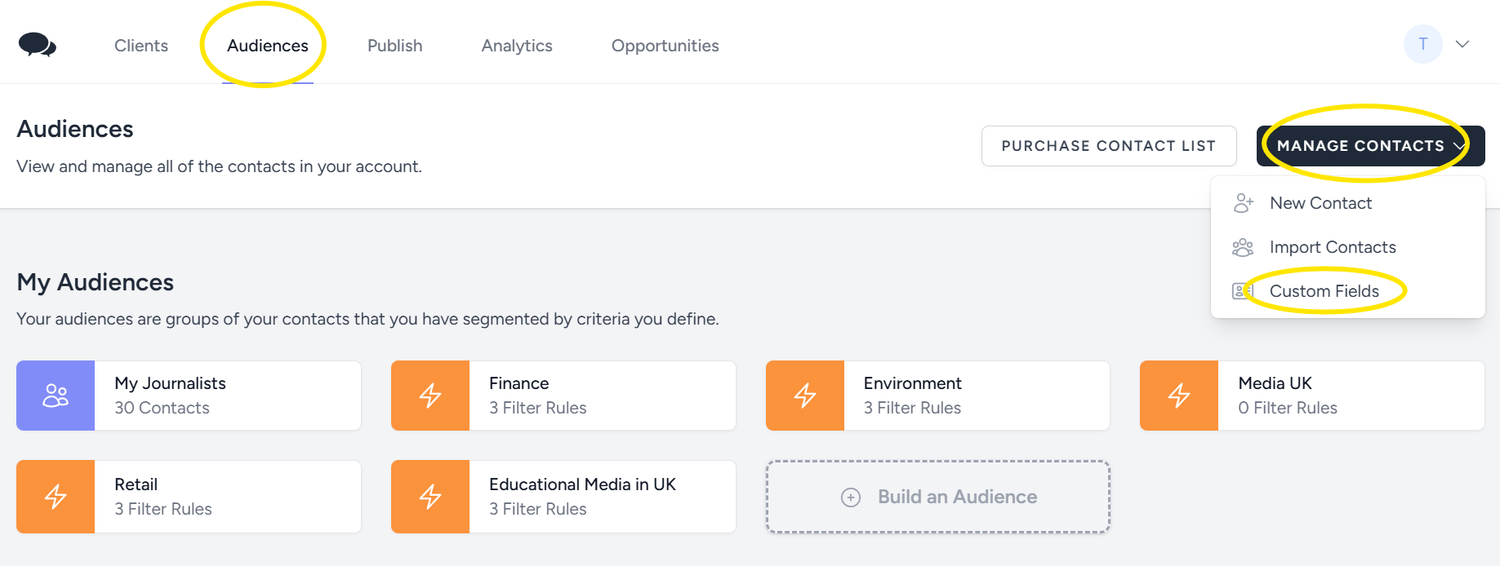
On the next page, click on ‘Add Field’ at the bottom right. A new row will appear and you can add the new field, choose the type of data, and click 'Save'.
You can add any field you want, such as sector, publication, readership and journalist role:
.png)
With the custom fields in place, click on 'Manage Contacts' and select 'Import Contacts' to start uploading your media list:
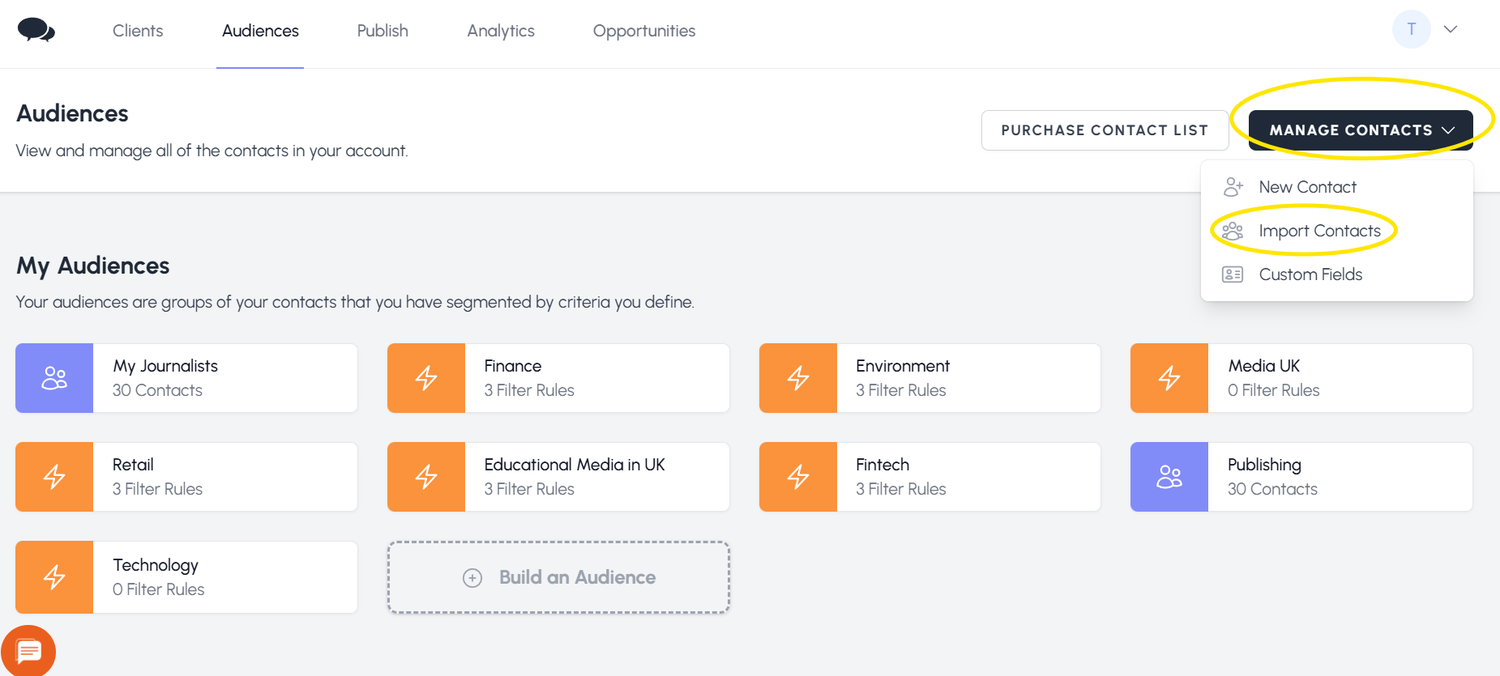
The next step is to set up how you want to classify that particular list.
You can specify your contact type within your imported CSV on a per-contact basis, but you can also apply it globally. Fields set on individual records within your CSV will override this value.
Next, you need to match our spreadsheet headers with the fields you created.
‘Row 1’ shows what you have as the spreadsheet header, ‘Row 2’ shows the first cell for that header and ‘Field’ is what the platform will collect.
Click on each 'Field' to select the option that matches 'Row 1' or to ignore that field.
.png)
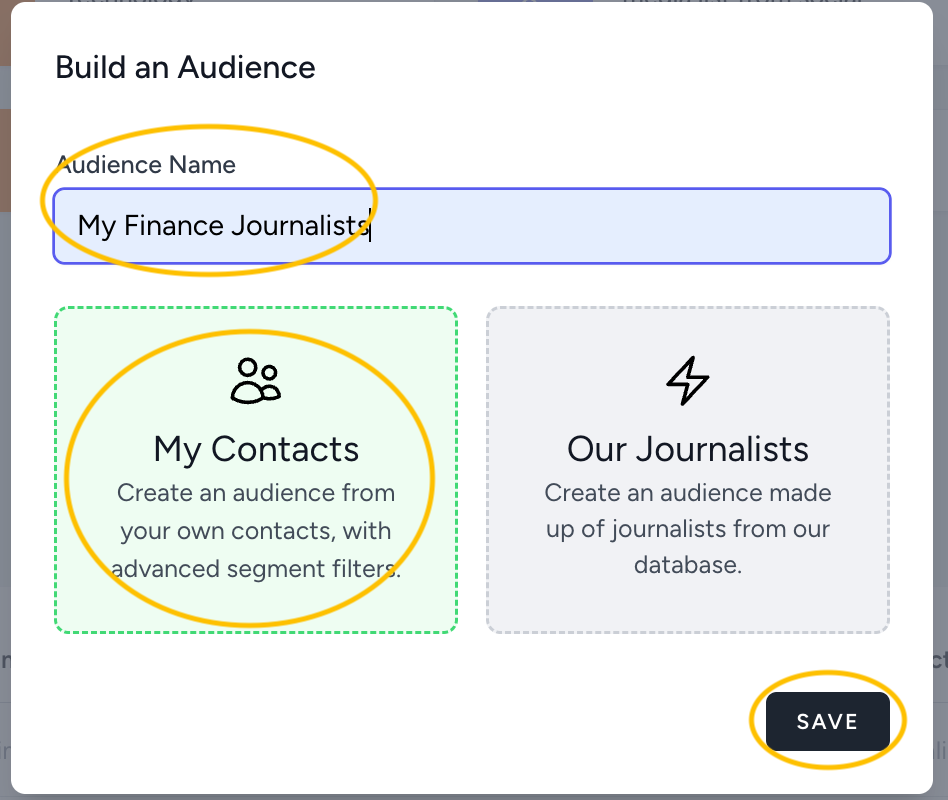
After your media list is successfully uploaded with the correct fields, you can create specific, segmented ‘Audiences’. To do this, go to 'Audiences' and click 'Build an Audience'.
Give your Audience a name and select ‘My Contacts’:
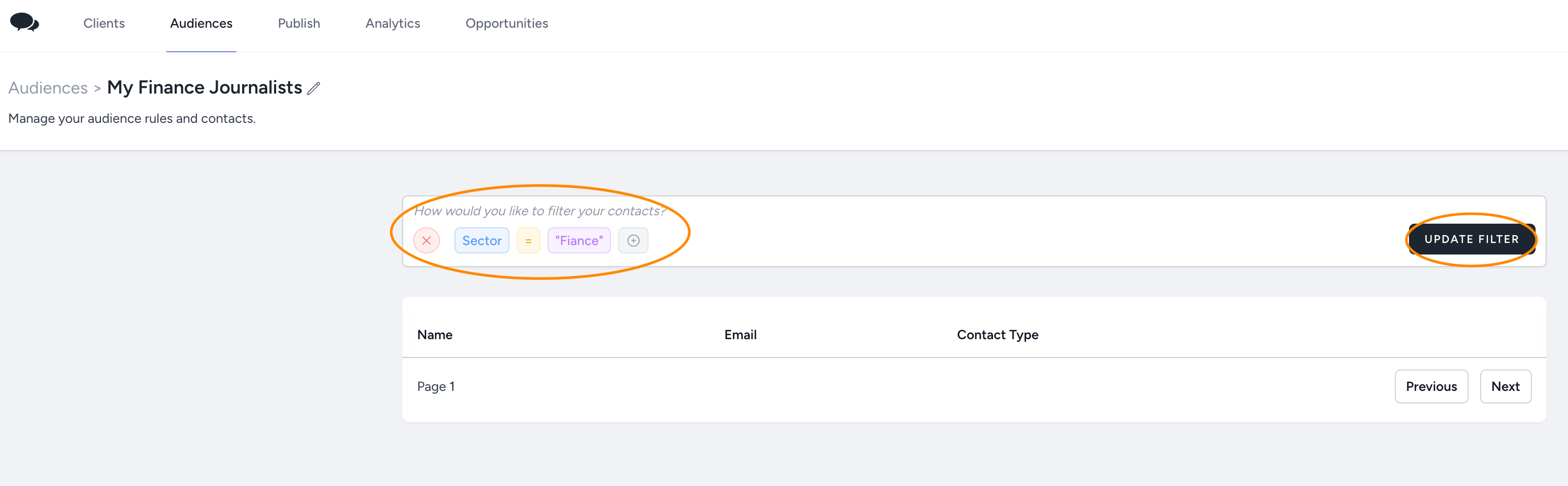
To segment, for example, the finance sector, select the field as 'Sector', choose the condition as 'equal', and enter 'Finance' as the value:
Did this answer your question?