Media Requests
.png)
Written by Tania Ferguson
Updated over
6 months ago
Media requests or Journalist Requests are created by journalists asking businesses to contribute to their stories.
Journalists work on a deadline set by their editors and Media Requests always have an expiry date, which is usually 24 – 48 hrs.
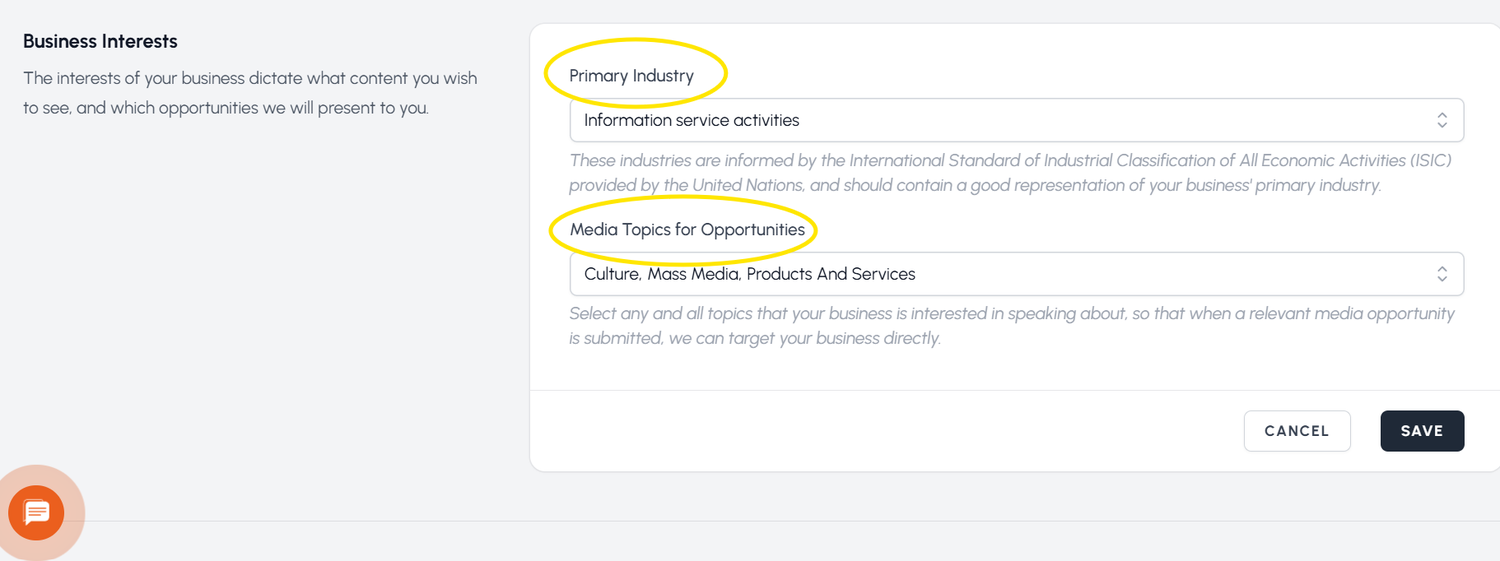
The media requests you get via email are recommended to you based on your chosen Industry and Topics for Opportunities in your profile. You can change this anytime.
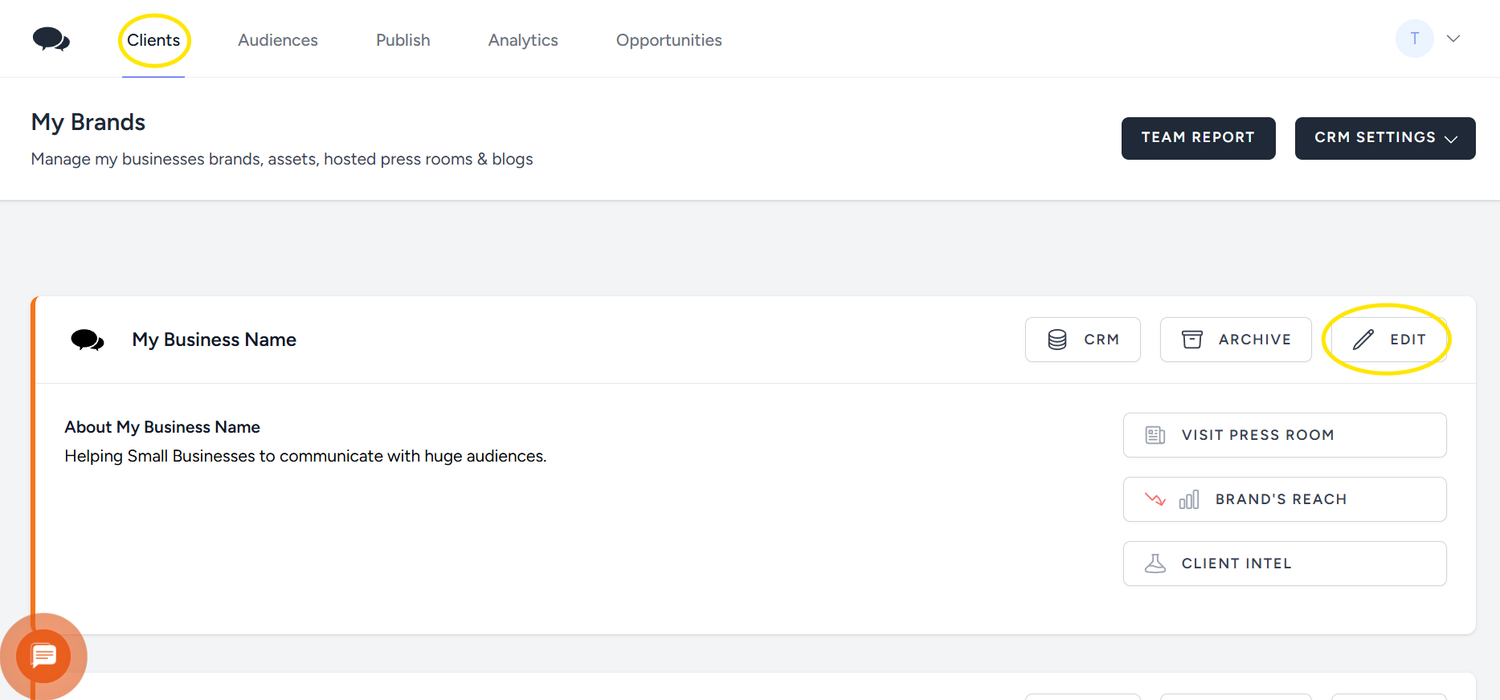
Click on 'Clients' and then on 'Edit' on the business profile you want to set media requests recommendations for:
In the next screen scroll down to 'Business Interests' and choose your Industry and Topics
You can find the media requests that are currently available by clicking on ‘Opportunities’ at the top. If you click on ‘All’, you will see all the media requests outside your ‘Recommended’ settings.
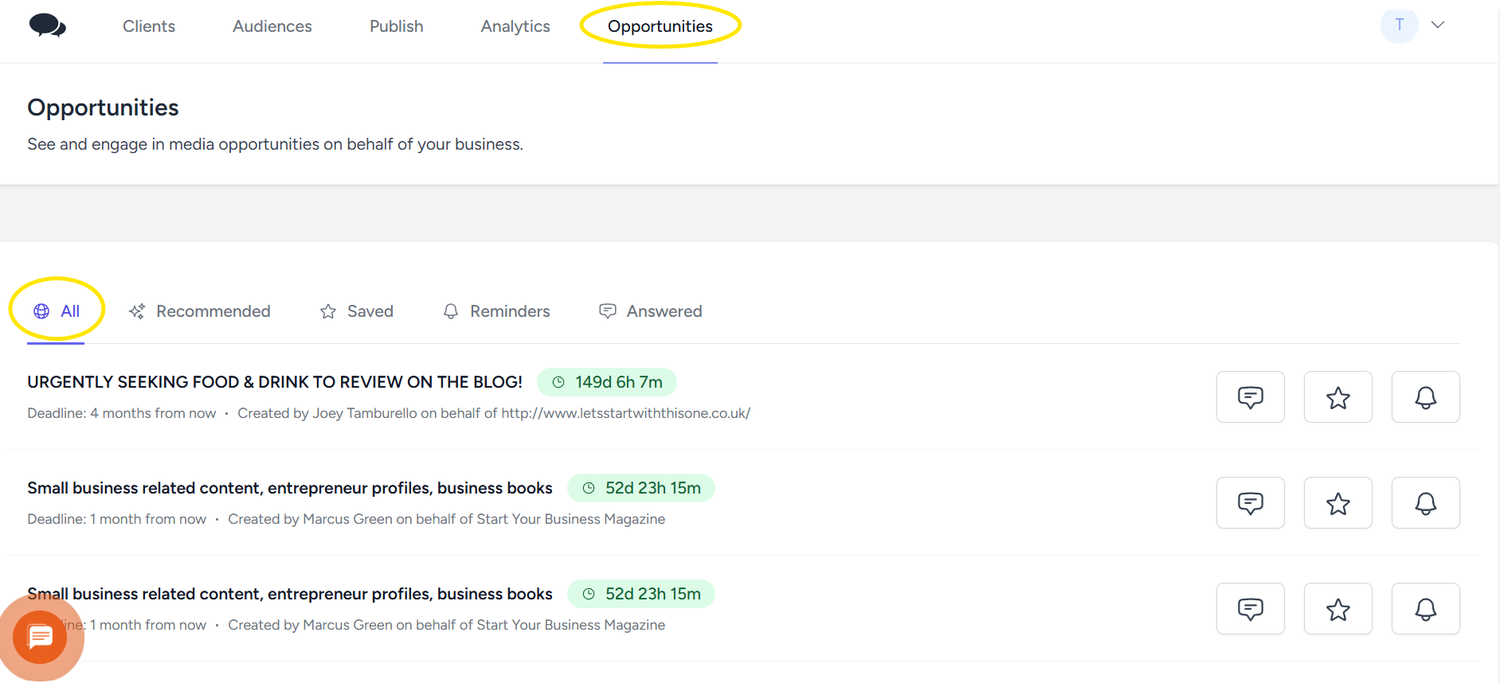
You can reply directly from the email you get from us or from the JournoLink platform. You can post one reply to each of the media requests that are relevant to you.
What to include in your reply
Journalists get many replies to Media Requests. To increase your chances of contributing to an article, make sure you reply as soon as you see a media request that applies to you. Unless the media request asks for specific information, make sure your reply is short and to the point. Things to include are:
- About your business
- How you can help with the media request
- Your contact details
Did this answer your question?